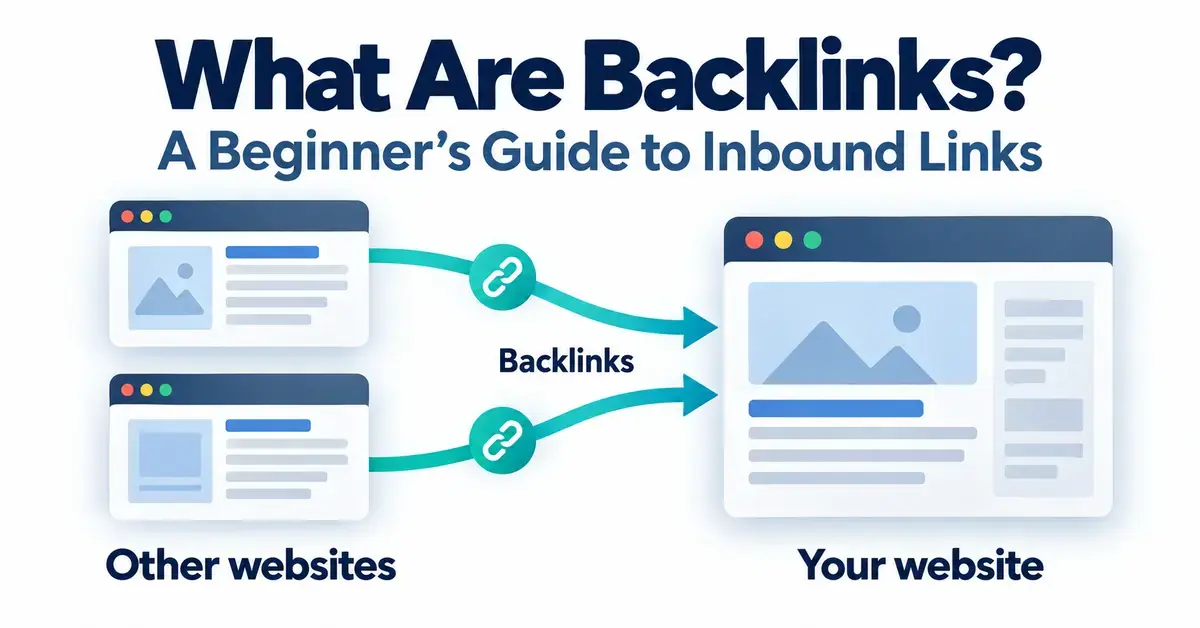
A backlink is simply a link on someone else’s website that points to a page on yours. If you are new to search engine optimization (SEO) — the practice of helping web pages appear higher in search engines like Google — backlinks are one of the first ideas worth understanding, because search engines treat them as signals of trust and popularity. This beginner’s guide explains, in plain English, what a backlink is, what the individual parts of a link are called, how backlinks actually work, and the important difference between referring domains and total backlinks. No prior experience is assumed.
Key Takeaways
- A backlink is a link from another website that points to a page on yours; “inbound link” and “incoming link” mean the same thing.
- Every link has four parts: the source page, the anchor text, the destination (href) and an optional rel attribute.
- Referring domains count unique linking websites; total backlinks count every individual link.
- Search engines treat quality links as votes of trust, but quality and relevance matter far more than quantity.
- rel=”nofollow”, rel=”sponsored” and rel=”ugc” tell Google to treat a link as a hint rather than a plain endorsement.
What is a backlink?
A backlink is a link that goes from one website to a page on a different website. When Website A places a clickable link that sends visitors to Website B, Website B has earned one backlink. You may also see backlinks called inbound links or incoming links — all three terms mean the same thing: a link pointing into your site from somewhere else.
The word “back” refers to the direction of the connection. From your site’s point of view, a link arriving from another website points back to you, so it is an inbound or “back” link. A link that goes the other way — from your page out to another website — is called an outbound or external link, and it counts as a backlink for the site you are linking to, not for you.
In short, the backlinks meaning is straightforward: a vote of reference from one page to another. Search engines pay attention to these votes because a link is usually a sign that someone found a page useful enough to point their readers toward it.
What does a backlink look like? The anatomy of a link
Every backlink is built from the same small set of parts, and knowing their names makes the rest of SEO much easier to follow. Behind the scenes, a link is a snippet of HTML (the code that builds web pages). A typical link looks like this in code:
<a href=”https://example.com/seo-guide” rel=”nofollow”>beginner’s SEO guide</a>
That single line contains four things worth understanding, broken down below.
The source page (referring page)
The source page is the specific web page that contains the link. If a blog post at blogA.com/article links to your homepage, that article is the source page, and its whole website is the referring domain. The quality, topic and trustworthiness of the source page strongly affect how much a backlink is worth.
The anchor text
The anchor text is the visible, usually clickable words a reader sees and can click. In the example above, the anchor text is “beginner’s SEO guide”. Anchor text gives both people and search engines a clue about what the linked page is about, so descriptive anchor text is more helpful than vague wording like “click here”.
The destination (the href)
The destination is the exact web address the link sends you to, written inside the href part of the code. In the example, the destination is https://example.com/seo-guide. This is the page that actually receives the backlink.
The rel attribute: followed, nofollow, sponsored and ugc
The rel attribute is an optional label that tells search engines how to treat the link. A normal link with no special label is passed along as a recommendation and is often called a “followed” or “dofollow” link — note that “dofollow” is informal SEO slang, not real code; it just means the rel attribute has not been set to restrict the link.
Google supports three rel values that ask search engines not to treat a link as a plain endorsement:
- rel=”nofollow” — a general signal that you do not want to vouch for the linked page. Introduced in 2005 to fight comment spam.
- rel=”sponsored” — for links created through advertising, sponsorship or other paid arrangements.
- rel=”ugc” — for links inside user-generated content, such as blog comments and forum posts.
Google announced the sponsored and ugc attributes on September 10, 2019. Since then, all three labels are treated as “hints” that Google may consider or ignore for ranking, rather than strict commands. Google also began using nofollow as a hint for crawling and indexing on March 1, 2020.
Link Attributes Compared
| Link type | Code label | Typical use | Passes ranking value? |
|---|---|---|---|
| Followed (dofollow) | no special rel | Ordinary editorial links you stand behind | Yes (can pass signals) |
| Nofollow | rel=”nofollow” | Links you do not want to vouch for; introduced 2005 | Treated as a hint; usually little or none |
| Sponsored | rel=”sponsored” | Paid, advertising or sponsorship links | Treated as a hint; usually little or none |
| User-generated (UGC) | rel=”ugc” | Comments, forum posts and other user content | Treated as a hint; usually little or none |
How do backlinks work?
Backlinks work in two connected ways: they help search engines discover pages, and they act as signals of trust. Understanding both explains why so much of SEO revolves around links.
They help search engines find pages
Search engines explore the web by following links from page to page using automated programs called crawlers. When a page you own is linked from a site that is already known to Google, the crawler can follow that link and discover your page. In this way, backlinks help new pages get found and indexed (added to the search engine’s database).
They act as votes of confidence
Each backlink can work like a recommendation. When many trustworthy websites link to a page, search engines read it as evidence that the page is useful or authoritative. This idea sits at the heart of PageRank, the original link-based scoring system created by Google’s founders and still one of many signals Google uses today. Google is clear that links are just one of many ranking factors, not the whole story.
Quality matters more than quantity
A handful of links from respected, relevant websites usually helps far more than hundreds of links from low-quality or unrelated pages. Large numbers of spammy links can even create risk rather than benefit, because search engines try to ignore or discount manipulative link patterns.
Referring domains vs total backlinks: what is the difference?
Referring domains count the number of unique websites linking to you, while total backlinks count every individual link, even when several come from the same website. The distinction confuses many beginners, so a simple example helps.
Imagine two websites link to your page:
- Website A links to you three times (three separate links on its pages).
- Website B links to you once.
You now have four total backlinks but only two referring domains, because Website A counts as a single unique domain no matter how many times it links to you. Getting several extra links from a site you are already linked from does not add a new referring domain.
Referring domains are often the more meaningful number, because links from many different trustworthy websites tend to be a stronger trust signal than many repeated links from one place. When you check a backlink report, it is worth reading both figures side by side rather than focusing only on the larger “total backlinks” count.
What makes a backlink strong or weak?
The value of a backlink depends on the source, not just the fact that it exists. A few factors separate a strong backlink from a weak one:
- Relevance — a link from a website about the same topic as yours generally carries more weight than one from an unrelated site.
- Authority and trust — links from well-established, reputable websites tend to count for more than links from brand-new or low-quality pages.
- Placement — a link inside the main body of a page, surrounded by related text, is usually more meaningful than one buried in a footer or sidebar.
- Followed vs restricted — a followed link can pass ranking signals, while nofollow, sponsored and ugc links are treated as hints and may pass little or none. Restricted links can still send real visitors and build awareness, so they are not worthless.
- Editorial vs self-made — a link that a writer chose to add because your content was useful (an editorial link) is generally valued more than one you placed yourself, such as a profile or directory listing.
Where do backlinks come from?
Backlinks come from many places across the web, and they range from links you earn naturally to links you actively request. Common sources include:
- Editorial mentions in articles, news stories and blog posts.
- Guest articles you write for other websites.
- Business directories and industry listings.
- Resource pages that collect helpful links on a topic.
- Comments, forums and social profiles (usually nofollow or ugc).
Each source behaves a little differently, and the various formats have their own strengths and drawbacks worth exploring once you are comfortable with the basics covered here.
Common mistakes beginners make with backlinks
The most common beginner mistake is chasing the number of backlinks instead of their quality. Being aware of the usual traps saves time and avoids penalties:
- Buying cheap bulk links. Large batches of low-quality paid links break Google’s spam policies and can harm rankings rather than help.
- Ignoring relevance. A link from an unrelated website adds little, no matter how many you gather.
- Over-optimizing anchor text. Using the exact same keyword-rich anchor text again and again can look manipulative; natural, varied wording is safer.
- Dismissing nofollow links entirely. They may pass little ranking value, but they can still drive traffic, brand awareness and referrals.
- Focusing only on total backlinks. A high total from a single site matters less than links from many separate referring domains.
How can you see your website’s backlinks?
You can view backlinks pointing to your site using both free and paid tools. The most accessible free option is Google Search Console, Google’s own dashboard, which includes a Links report showing which sites link to you most. For deeper analysis, paid SEO platforms such as Ahrefs, Semrush and Moz maintain large link databases and show extra details like referring domains, anchor text and estimated link value. Beginners can start with the free report and add a paid tool only when they need more detail.
Who needs to care about backlinks?
Anyone who wants their website to be found in search should understand backlinks, but the level of effort varies. A small local business may need only a handful of quality links from directories and community sites, while a competitive online store or blog may treat link building as an ongoing part of its marketing. Even if you never actively pursue links, knowing what a backlink is helps you read SEO reports, judge the advice you are given, and spot risky shortcuts before they cause harm.
Sources
- Google Search Central Blog — Evolving “nofollow” — new ways to identify the nature of links
- Google Search Central — Qualify your outbound links to Google
- Google Search Central — SEO Starter Guide
- Google Search Central — In-depth guide to how Google Search works
- Ahrefs Academy — Backlink metrics (backlinks vs referring domains)
Frequently Asked Questions (FAQ)
What is a backlink in simple terms?
A backlink is a link on another website that points to a page on yours. It works like a reference: when one site links to another, search engines can follow that link and often read it as a small vote of trust for the page it points to.
Are backlinks and inbound links the same thing?
Yes. Backlinks, inbound links and incoming links all describe the same thing — a link that points into your website from a different website. The different names are just interchangeable wording for the same concept.
What is the difference between referring domains and backlinks?
Referring domains count the unique websites that link to you, while backlinks count every individual link. If one website links to you five times, that is five backlinks but only one referring domain.
Do nofollow links help SEO?
Nofollow links are treated by Google as hints and usually pass little or no ranking value. They can still be useful, however, because they can send real visitors to your site and help people discover your brand.
How many backlinks does a website need?
There is no fixed number. The right amount depends on your topic and competition, and the quality and variety of referring domains matter far more than a raw count. A few relevant, trustworthy links often outperform hundreds of low-quality ones.
